What if my numbers don't match?
DIANO checks every figure before it changes anything. If a check fails, nothing is brought across. Find the message you see below and follow the fix.
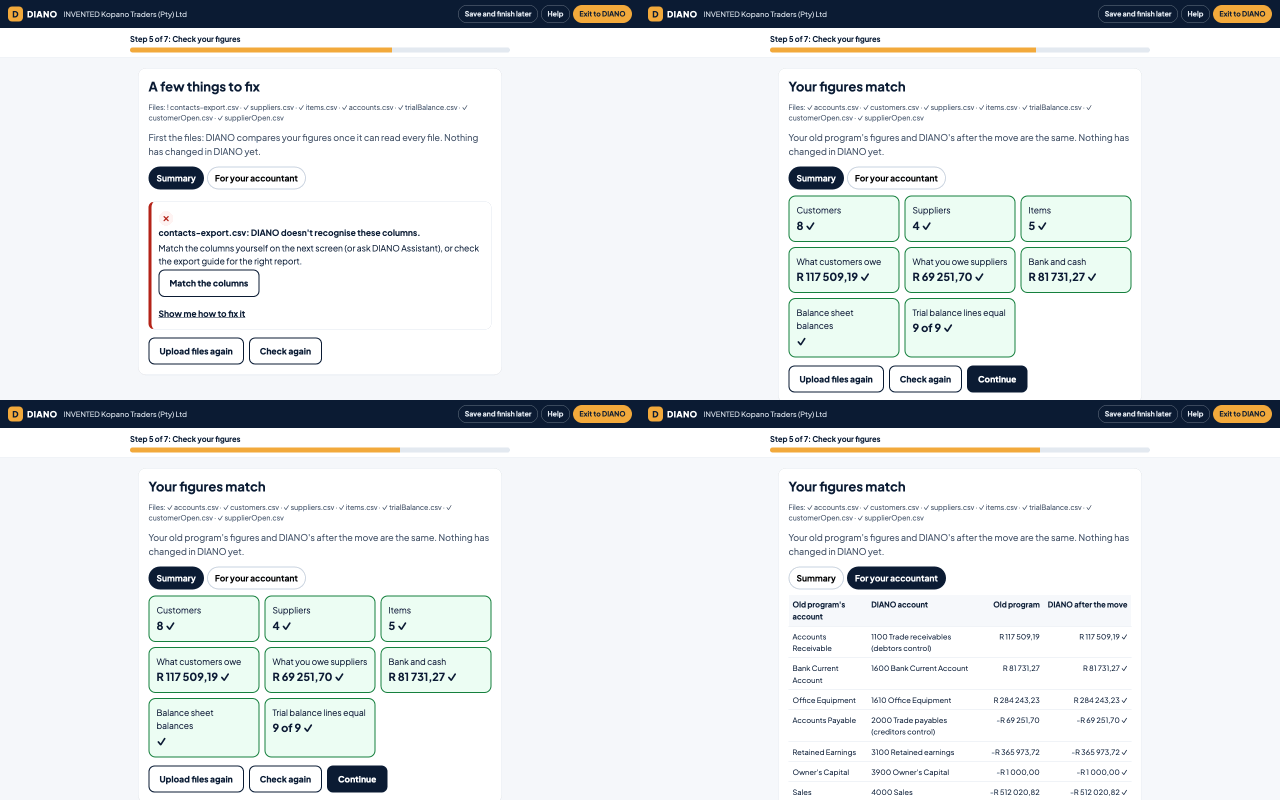
The trial balance doesn't balance
A trial balance is a list of every account with its balance on one day. Its two totals, Debit and Credit, must be the same.
If they are not the same, the report was usually run with some accounts hidden, or on two different dates.
Fix: run the trial balance again in your old program. Choose the day before your start date. Choose to show all accounts, also those with a zero balance. Save it as CSV or Excel and upload it again.
Still different? You can tick the box to put the difference into an account called Suspense. Do this only if you will sort it out with your accountant later. DIANO never does this without your tick.
What customers owe doesn't match the unpaid invoices
Debtors is the total your customers owe you. DIANO brings in each unpaid invoice, so that each customer's balance is right from day one. The unpaid invoices must add up to Debtors in the trial balance.
Fix 1: run the unpaid customer invoices report (often called aged debtors or aged receivables) for the same date as the trial balance. Choose the detailed version, with one line per invoice.
Fix 2: credit notes and payments that are not linked to an invoice cause a difference. Link (allocate) them in your old program first, then export both files again.
Still different? You can put the difference into Suspense with the tick box and sort it out with your accountant.
What you owe suppliers doesn't match the unpaid supplier invoices
Creditors is the total you owe your suppliers. The unpaid supplier invoices must add up to Creditors in the trial balance.
Fix: run the unpaid supplier invoices report (aged creditors or aged payables, detailed) for the same date as the trial balance. Link supplier payments and credit notes to their invoices first.
If you owe no supplier anything, Creditors in the trial balance must be zero.
A VAT balance, but the company isn't VAT-registered in DIANO
Your trial balance has a VAT account with a balance, but your DIANO company is set as not VAT-registered, or its VAT status is not set yet.
Fix: open Settings and Company in DIANO and set the VAT status. If your business is not VAT-registered any more, ask your accountant to clear the VAT balance in your old program first.
A business that is not VAT-registered and has no VAT account is fine: nothing about VAT is needed.
Dates can't be read
Some programs write dates as month/day/year (10/25/2026). DIANO expects day/month/year (25/10/2026) unless you say otherwise.
Fix: press the button that says this file's dates are month/day/year. Or change the date setting in your old program and export the file again.
A code is used twice
Two customers, suppliers or items have the same code. DIANO needs each code once, so it knows which is which.
Fix: give each one its own code in your old program, then export the list again.
A customer on an invoice is not in the customer list
An unpaid invoice names a customer that is not in the customer list you uploaded. The name may be spelt differently, or the list may leave out inactive customers.
Fix: export the customer list again with all customers, also inactive ones. Check the name is spelt the same in both files.
DIANO can't tell what kind of account this is
Each account is one of these kinds: bank or cash, something you own (an asset), something you owe (a liability), the owner's money (equity), income or an expense.
Fix: choose the kind on the check screen, or add the chart of accounts file, which lists each account's type.
The start date is in a locked month
Your opening balances are dated the day before your start date. That month is locked in DIANO, so nothing can be added to it.
Fix: reopen the month in Accounting and Periods, or pick another start date.
The figures for my start date aren't final yet
You picked a start date in the future. Your old program's figures up to the day before are not final yet.
Fix: pick the first day of this month, or come back after that day and export the files then.
The company is not empty
A move goes into a new, empty company. This company already has customers, invoices or an earlier move.
Fix: if an earlier move went wrong, undo it on the last step of Move to DIANO. If you already started working in DIANO, ask DIANO support.